APP · ANDROID
Paydos
Screen time lock for kids
Paydos lets you lend your phone to your child for a set time, with only the apps you choose. When the time is up, or your child tries to open an app that isn't allowed, a full-screen lock appears and only the PIN you set can close it.
- Android
- Completely free
- No account
- 9 languages
On Google Play
Screenshots
How it works
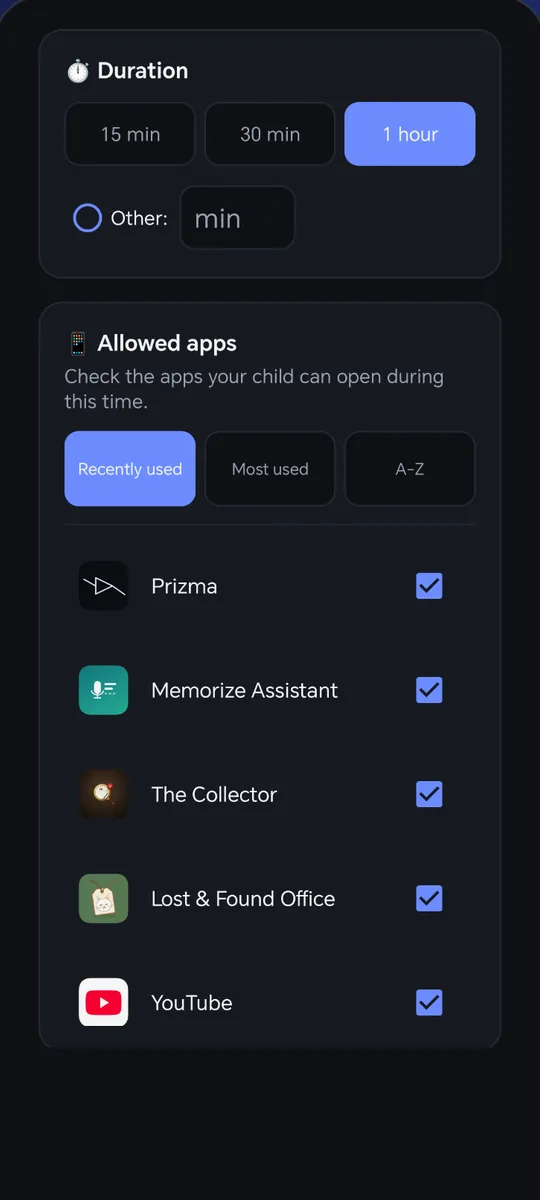
Pick the time
15 minutes, 30 minutes, 1 hour, or a time of your own.
Tick the apps
Choose which apps are allowed during that time. You can allow different apps every time.
Hand over the phone
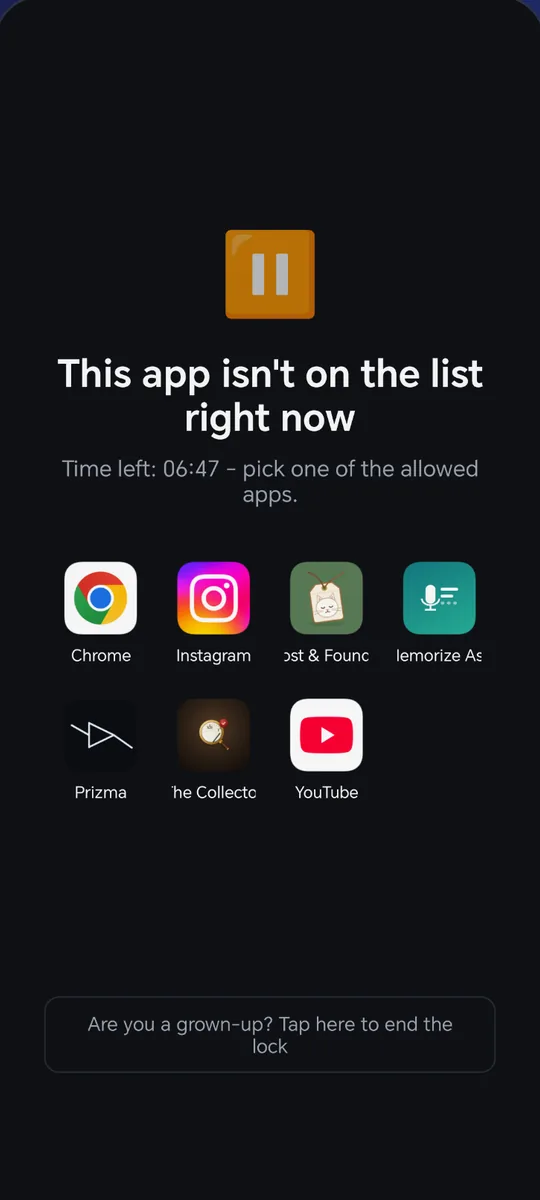
Your child can see the time left and the apps they may open.
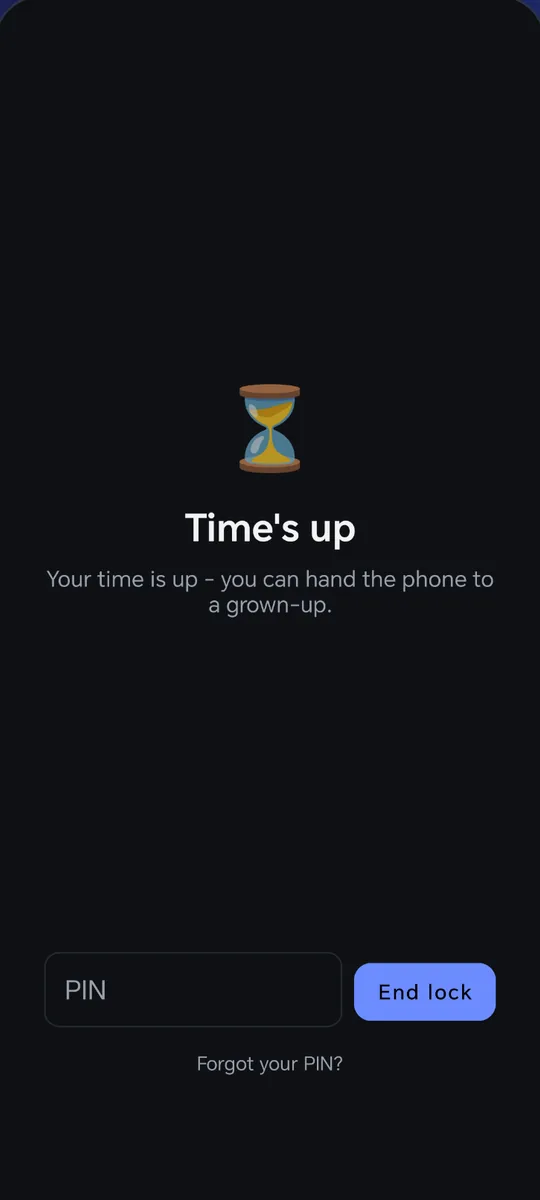
When time is up
A full-screen lock appears. It can't be dodged with the back button or by reopening the app; only your PIN closes it.
Highlights
1 / 2Set up on one screen
Pick the time, tick the apps, start the lock.
Only what you allow
If your child tries to open an app that isn't allowed, the lock screen appears.
An easy list
Sort the app list by recently used, most used, or alphabetically.
If you forget the PIN
There is a recovery question. And restarting the phone always removes the lock, so the phone never stays locked.
Nothing leaves the phone
The time, the app list and the PIN are stored only on your phone. The PIN is never kept as plain text.
Clear about what it sees
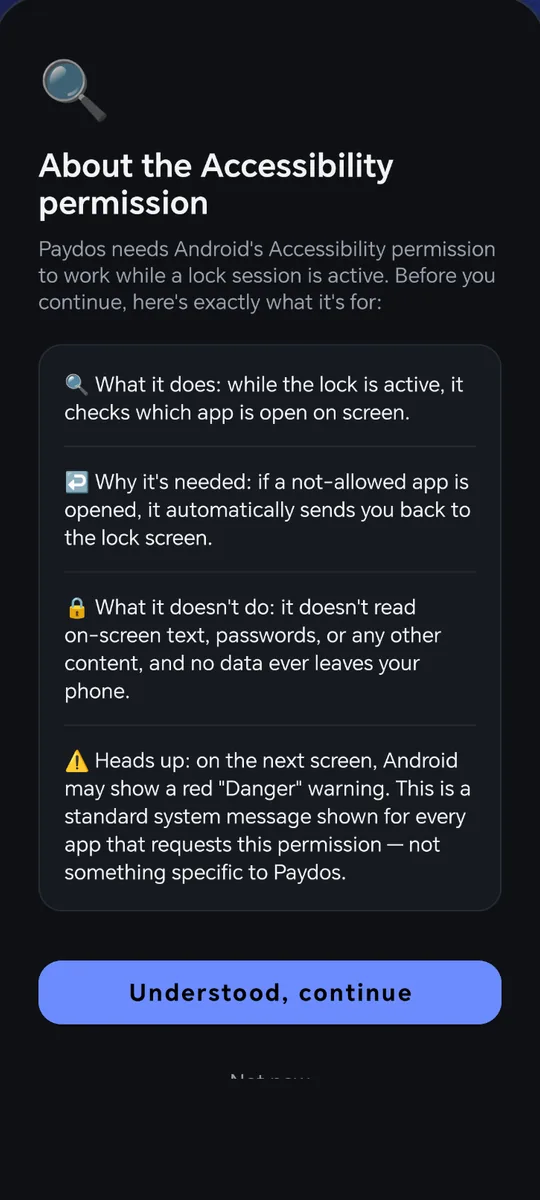
Paydos sees only the name of the app that is open. It doesn't read text, photos or anything you type.
No account
No sign-up, no email, no login.
9 languages
English, Turkish, Spanish, French, Russian, Portuguese, Indonesian, Hindi and Arabic.
At a glance
- Category
- Tools · parental control
- Platform
- Android (Google Play)
- Price
- Completely free. No in-app purchases.
- Ads
- Yes, shown only to the parent: on the setup screen, when entering the PIN and after unlocking. The "time is up" screen your child sees has no ads.
- Account
- Not required
- Data
- The time, app list and PIN stay on the phone
- Languages
- English, Turkish, Spanish, French, Russian, Portuguese, Indonesian, Hindi, Arabic
Questions and answers
Is Paydos free?
Yes, completely free, with no in-app purchases. The app shows ads, but only to the parent.
Will my child see ads?
The screen your child sees when time is up has no ads. Ads appear on the screen where the parent sets up the lock, when the PIN is being entered and after the lock is removed.
What if I forget my PIN?
You can answer the recovery question you chose during setup. If that fails too, just restart the phone: a restart always removes the lock.
Why does Paydos ask for the accessibility permission?
To see which app is open while the timer is running. It looks only at the name of the open app; it never reads, stores or sends what is on screen.
Is any data collected about my child?
No. Paydos collects no personal data from the child or the parent and creates no account. Your settings stay on your phone.
When will it be released?
Paydos is waiting for Google Play's release approval. The download link will appear on this page once it is approved.
Now on Google Play
Paydos is live on Google Play. Download it and give it a try.